
Find and review individual hands
Filter and sort records, choose columns and open a hand for street-by-street review.
On this page
Find a hand
Open Hand & Action Analysis → Hands. Use the top filters to narrow game type, dates, positions or other conditions. Records load in batches of up to 1000. The loaded count is not the total matching sample; scroll down to load more.
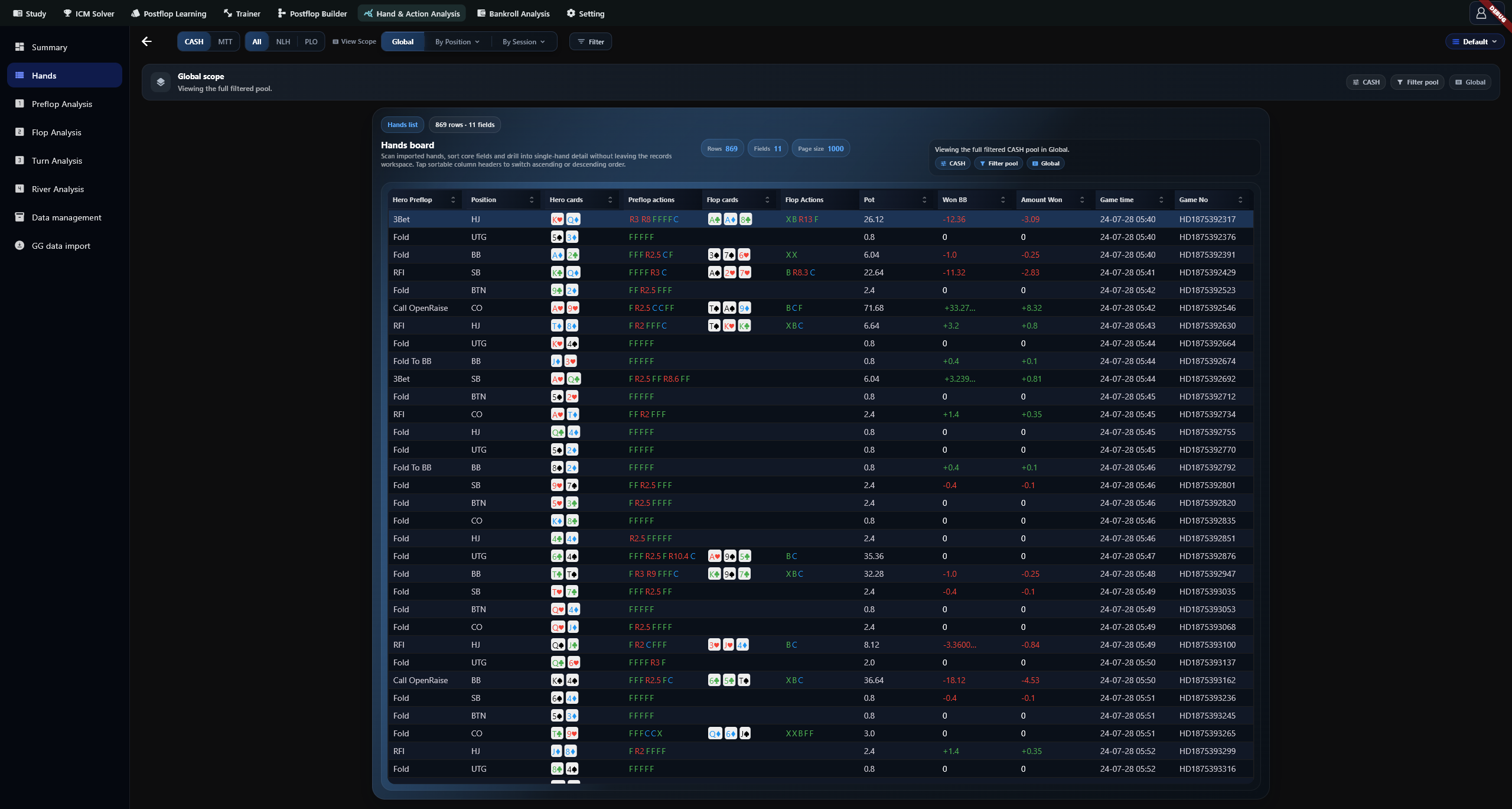
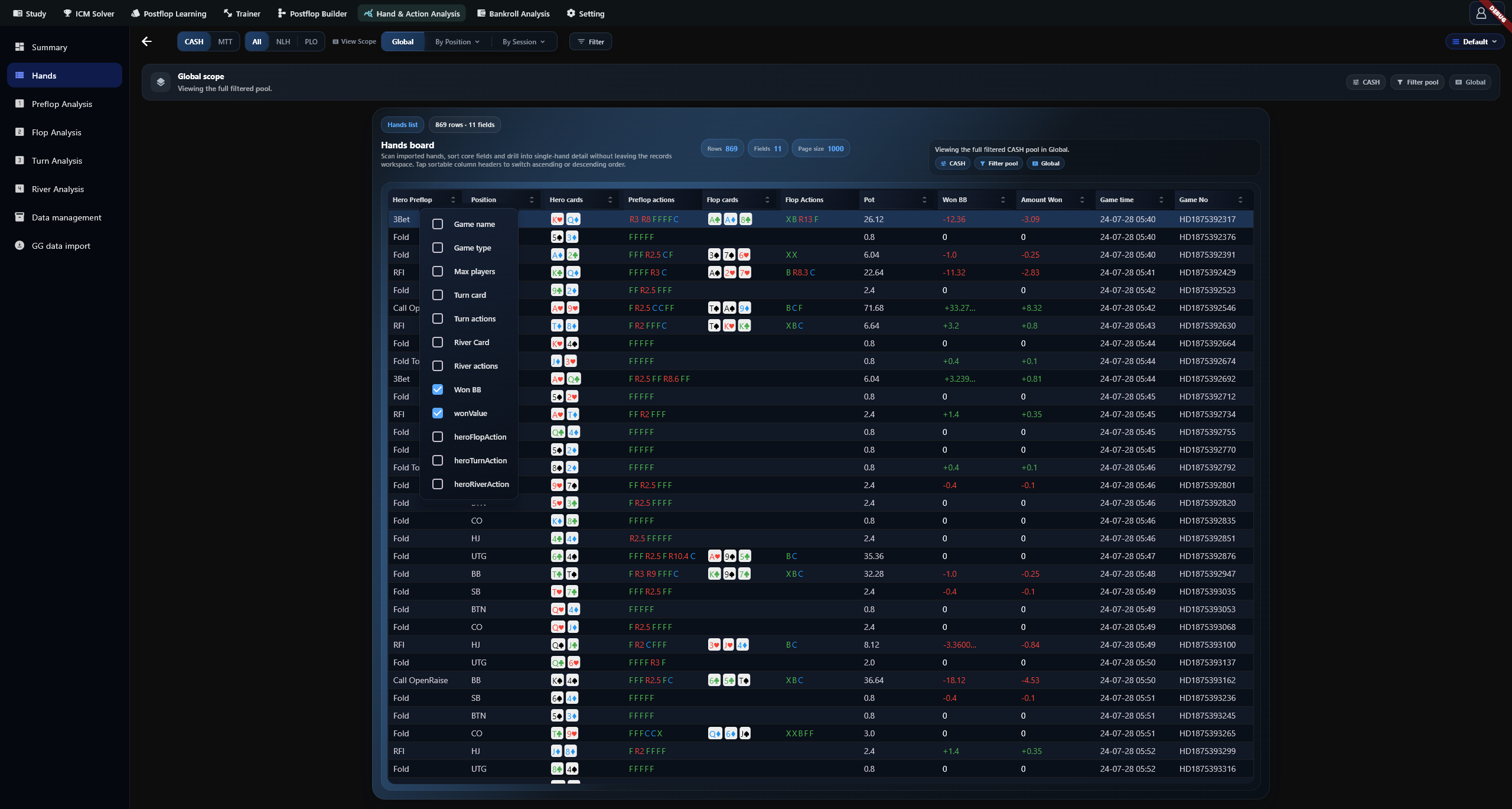
Sort and choose columns
Click a sortable column heading to change order. Right-click a heading to open the field selector. It offers 21 fields, with 11 visible by default. EV Loss is not selectable.
Open hand details
Click a row. Check the hand number, time, blinds, position and result, then follow the timeline from preflop through river to inspect actions, amounts and available strategy information.
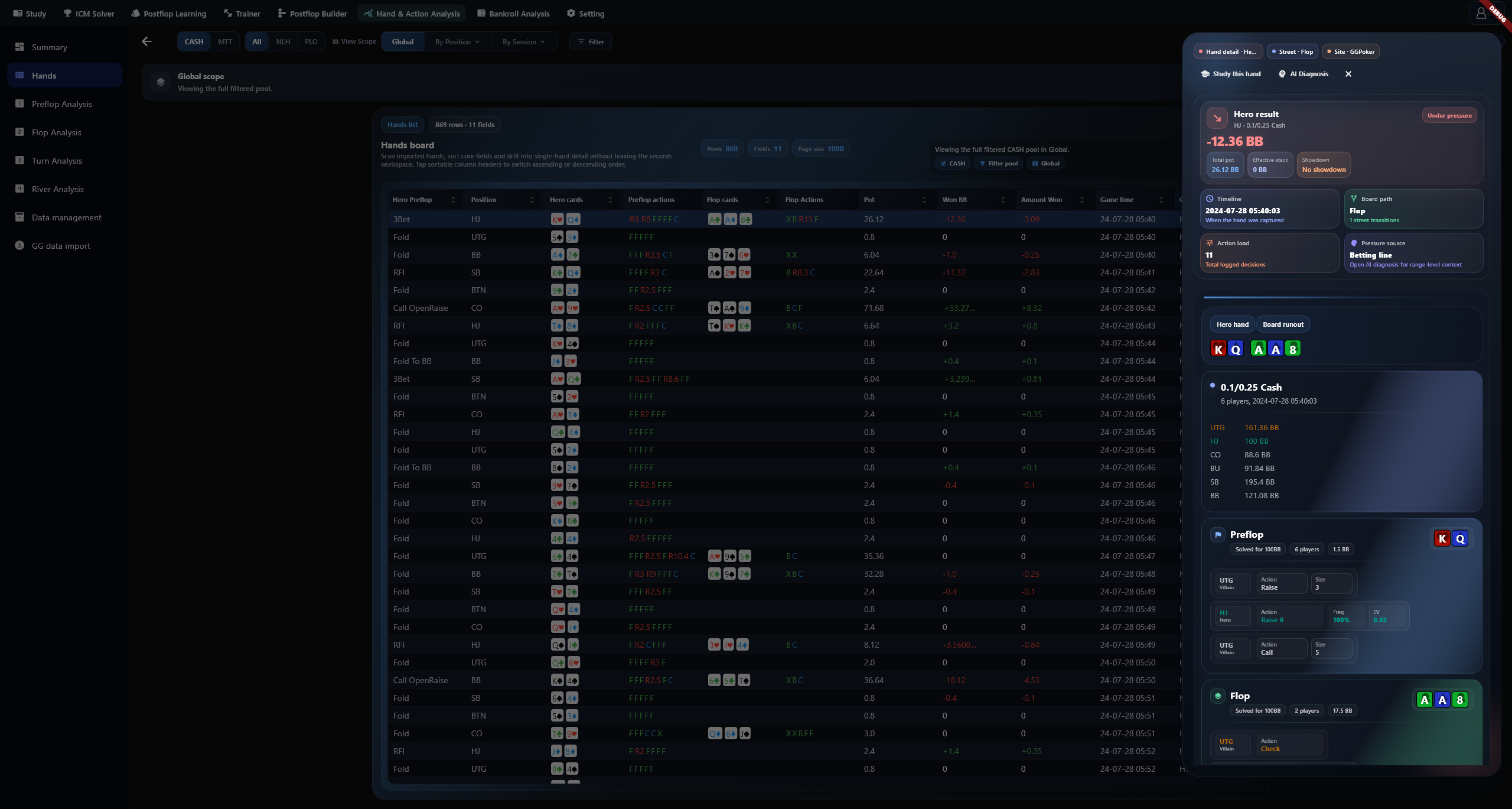
Action tooltips, Study and AI
Hover an action column for positions, actions and amounts. The tooltip shows up to 16 actions; open the hand detail for the full sequence. Study this hand opens further analysis. Complete AI configuration before using AI actions.
Fields and units
| Visibility | Fields |
|---|---|
| 11 default fields | Hero Preflop, Position, Hero cards, Preflop actions, Flop cards, Flop Actions, Pot, Won BB, Amount Won, Game time, Game No |
| 10 optional fields | Game name, Game type, Max players, Turn card, Turn actions, River card, River actions, Hero Flop Action, Hero Turn Action, Hero River Action |
The four street-action columns and the Turn card and River card columns cannot be sorted. Other selectable fields can. Won BB is the hand's net result in big blinds. Amount Won uses the source units: currency for cash games and usually chips for tournaments. Neither applies an all-in EV adjustment.
Troubleshooting
For missing records, check the database, filters and subset tags, then inspect the import result. Unplayed streets and fields absent from the source can be blank. Use Summary or a street-analysis page for frequencies and opportunity counts.