
Study preflop ranges and solve postflop
Choose a library, follow an action line, inspect frequencies and EV, and save the solution.
On this page
Start with a spot
Open Study in the top navigation. Choose a preflop library and follow the actions to the decision you want to examine. To review an imported hand, use Study this hand in its detail panel.
The built-in solver runs postflop calculations on your computer. A library with a cloud icon needs downloading; select it and wait for the download to finish.
Choose a library and follow preflop actions
Use the top row to select MTT or Cash, table size, stack depth, rake band and tag. Rake bands appear for Cash; the available options depend on the library.
Changing the library settings clears the current postflop result. Save any range edits first. If the app asks whether to discard changes, choose No to return to editing or Discard to continue.
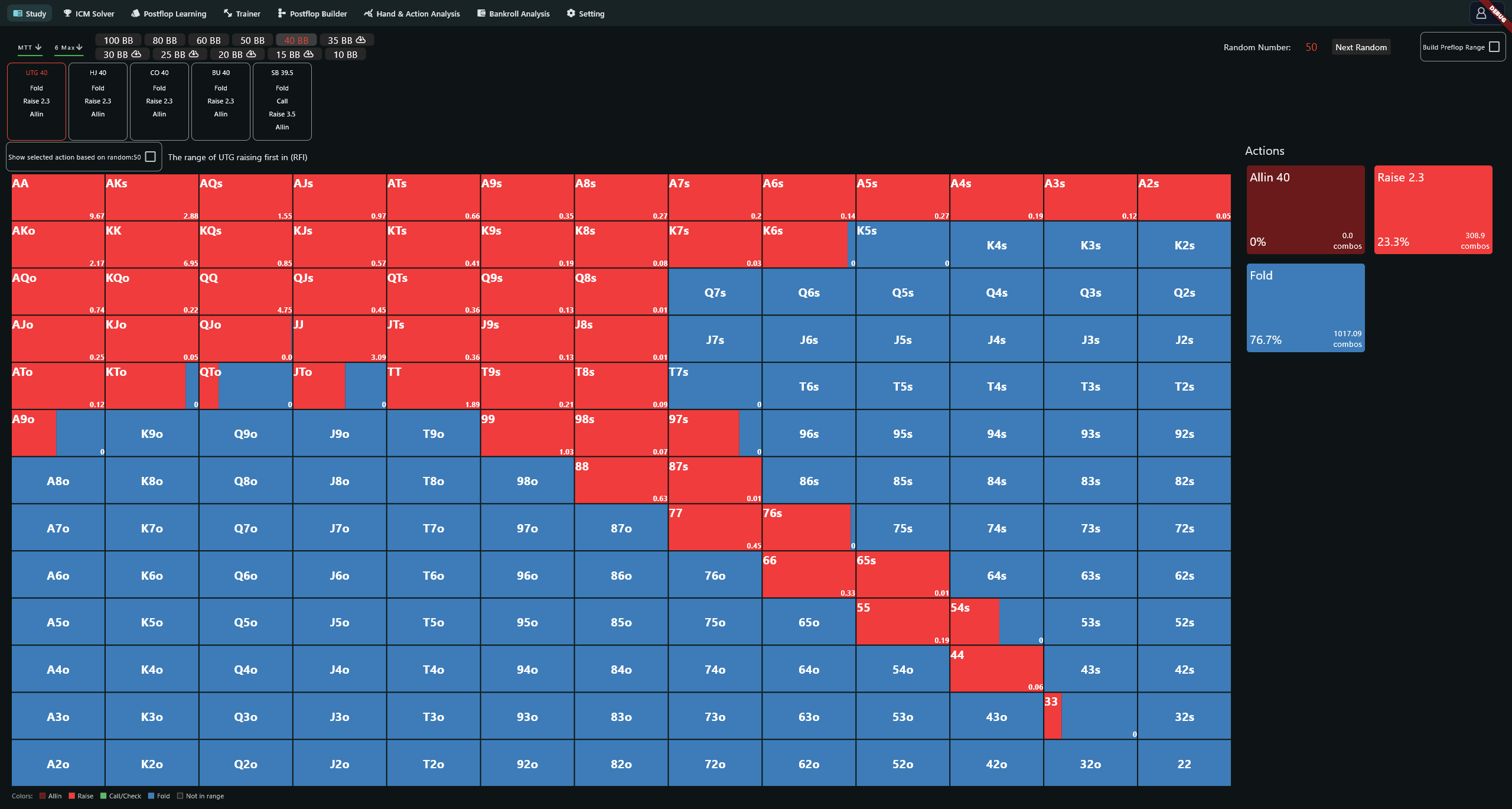
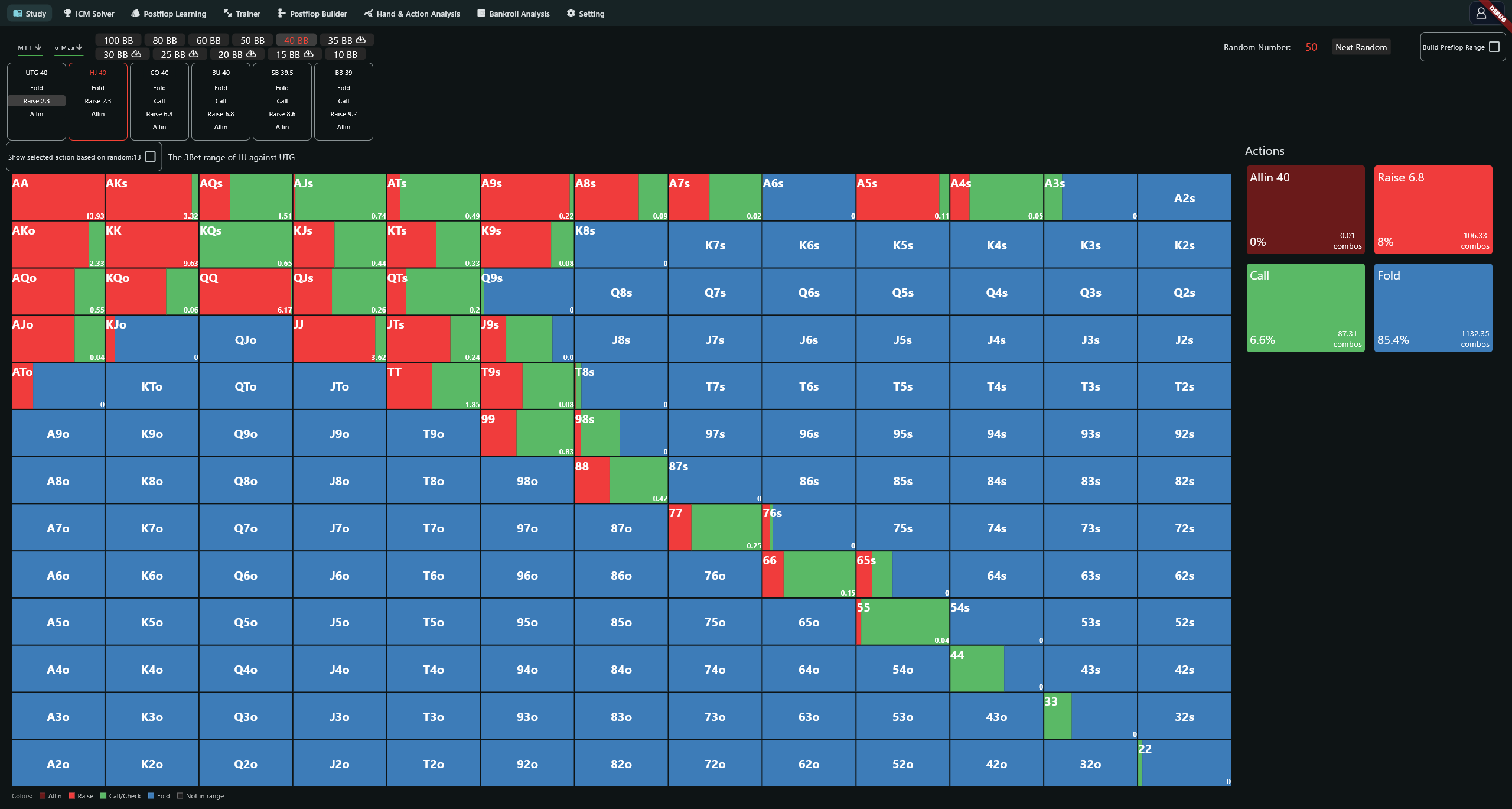
Click an action beneath a position to advance the line. Once preflop is complete with two players remaining, choose a flop. This postflop solver requires a heads-up spot.
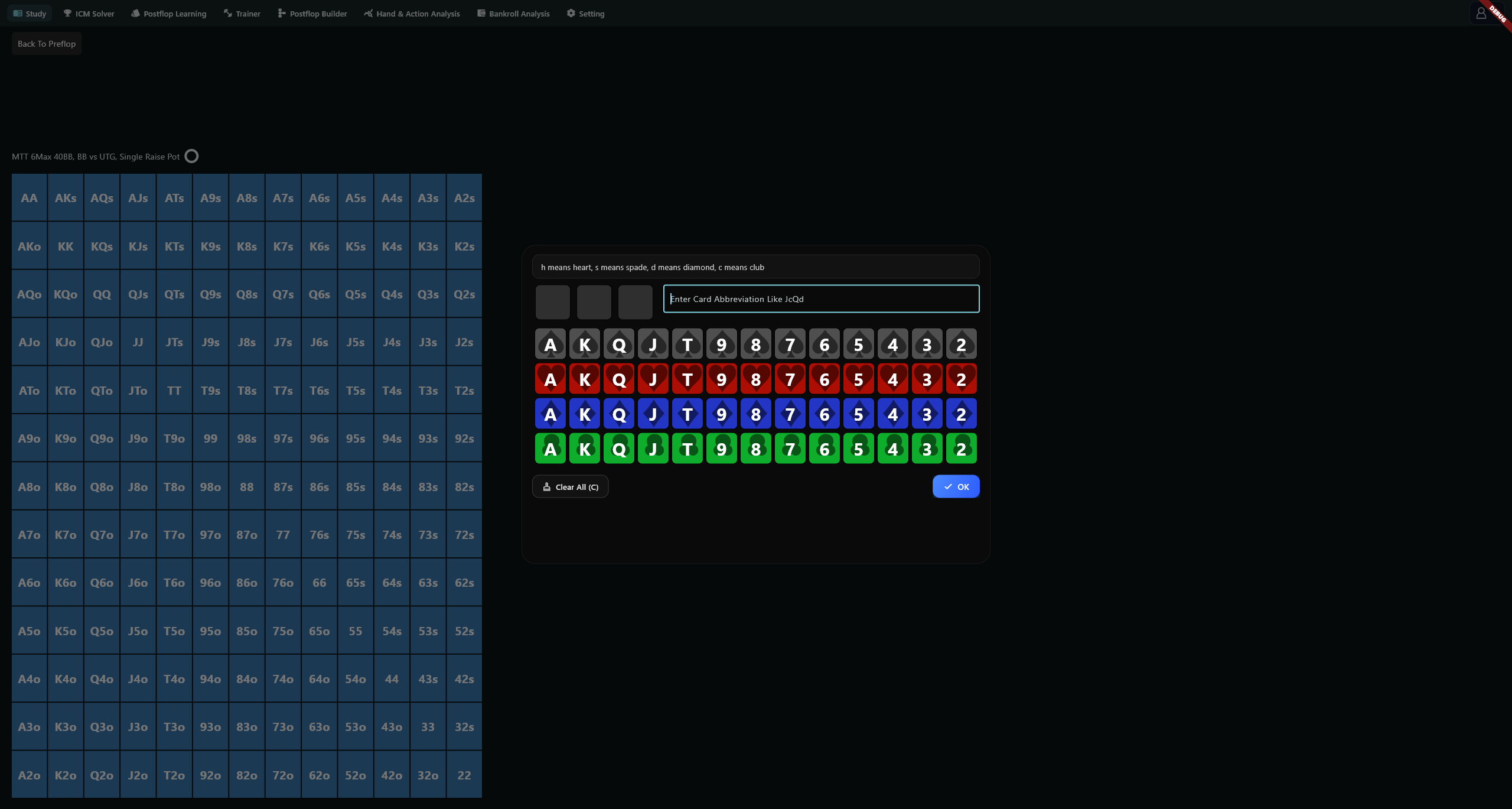
Choose the flop and solve
Select three cards or enter shorthand such as AsKh3d. The suit letters h, s, d and c mean hearts, spades, diamonds and clubs. The picker confirms when all three slots are filled. Clear All (C) or Ctrl+C clears the selection.
Click the gear beside the flop node to open Solver Setup. Check the pot, stacks, ranges and bet sizes.
Confirm to start solving. The title row shows progress and Current Exploitability; Waiting solver... means the node is not ready yet.
Use the gear on a later node to change parameters and solve again. An identical spot may load an existing local result. See solver settings for thread and accuracy controls.
Read frequencies and EV
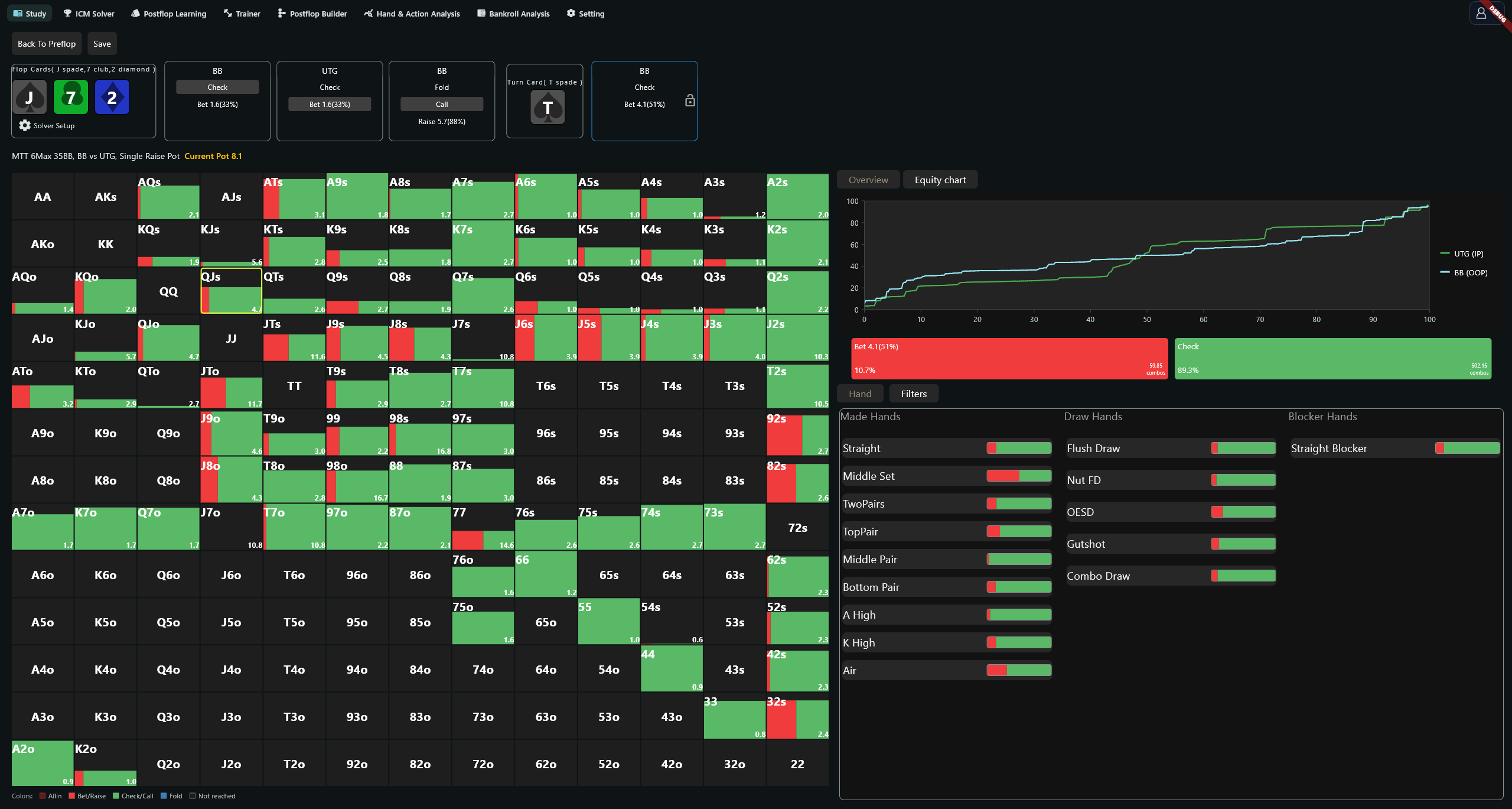
Check the acting player and action line before reading the matrix. Colours correspond to the actions on the right. Postflop bet and raise shades get darker as sizing increases. An unfilled dark area represents combinations that did not reach this node.
Action-card percentages
| Value | Preflop | Postflop |
|---|---|---|
| Percentage | Action combinations ÷ 1,326 | Action combinations ÷ total combinations in this node's range |
| Combos | Number of combinations taking the action | Number of combinations taking the action |
The denominators differ, so the two percentages are not directly comparable.
Inspect a specific combination
Click a matrix cell to see its suit combinations. The number beside each action is that combination's EV for the action, in the pot's units. Coloured portions show frequency; the EV text at the top is a column heading.
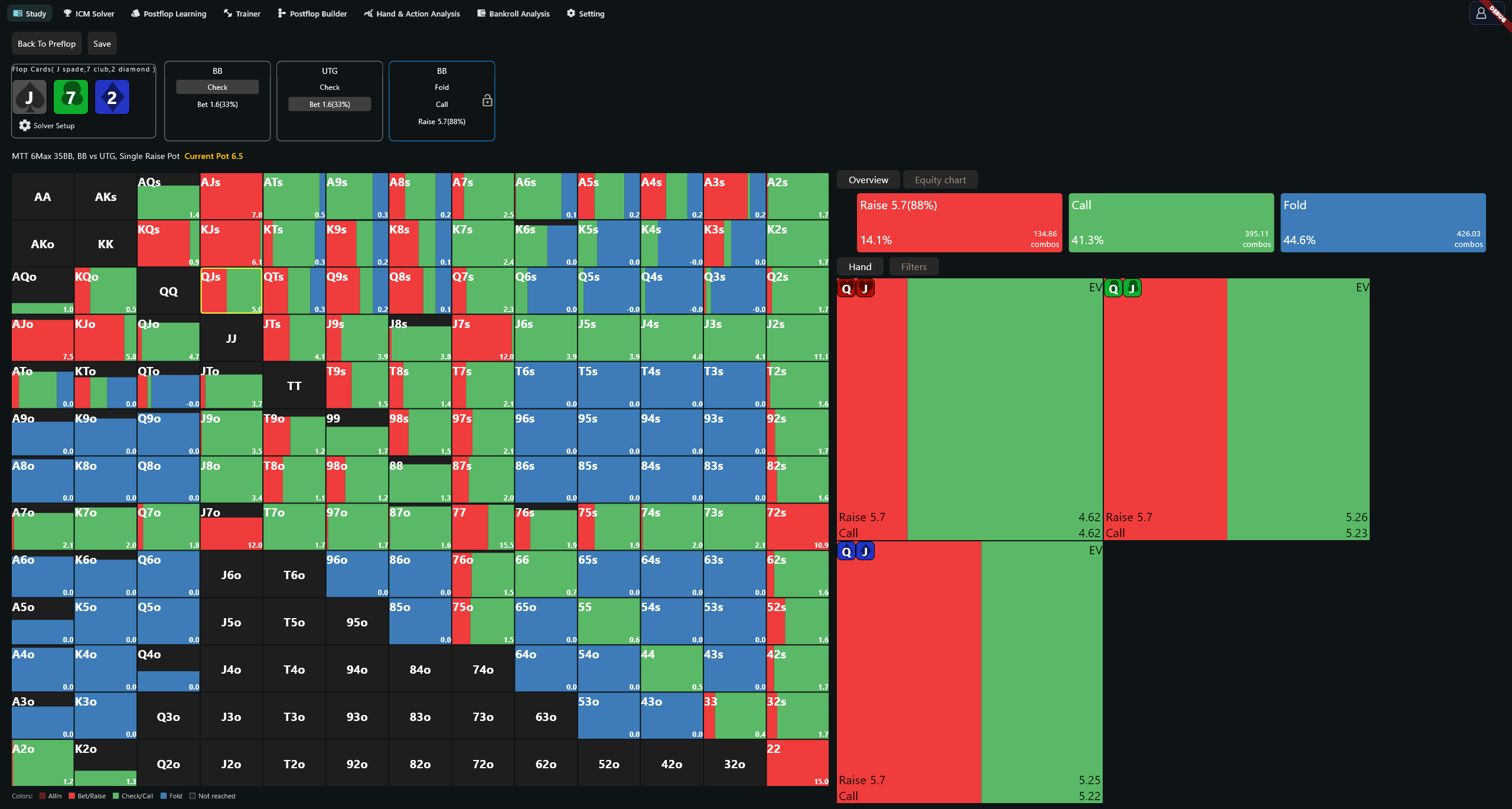
Under Filters, hover over a made-hand, draw or blocker type to preview it, or click to select it. Multiple selections use an intersection: TopPair plus Flush Draw keeps combinations satisfying both. Use CLEAR to remove the filters.
The Equity chart plots hand order within the range against equity. Green represents IP and light blue OOP. Click a curve to inspect nearby hands and their equity.
Save and reopen a solution
After solving, click Save above the node bar and choose a folder. A postflop solution is saved as a directory; keep the directory intact when moving or backing it up.
| How you open a .rtflop file | Where it opens | Preflop controls |
|---|---|---|
| Double-click while the app is closed | Main tab | Editable |
| Double-click while the app is running, or drag into the window | New page named after the file | Fixed |
The file restores solver parameters, the flop, the preflop framework and positions. It does not restore the full display of turn, river, Hero's cards or recorded action history.
Edit ranges and lock strategies
Build a preflop range
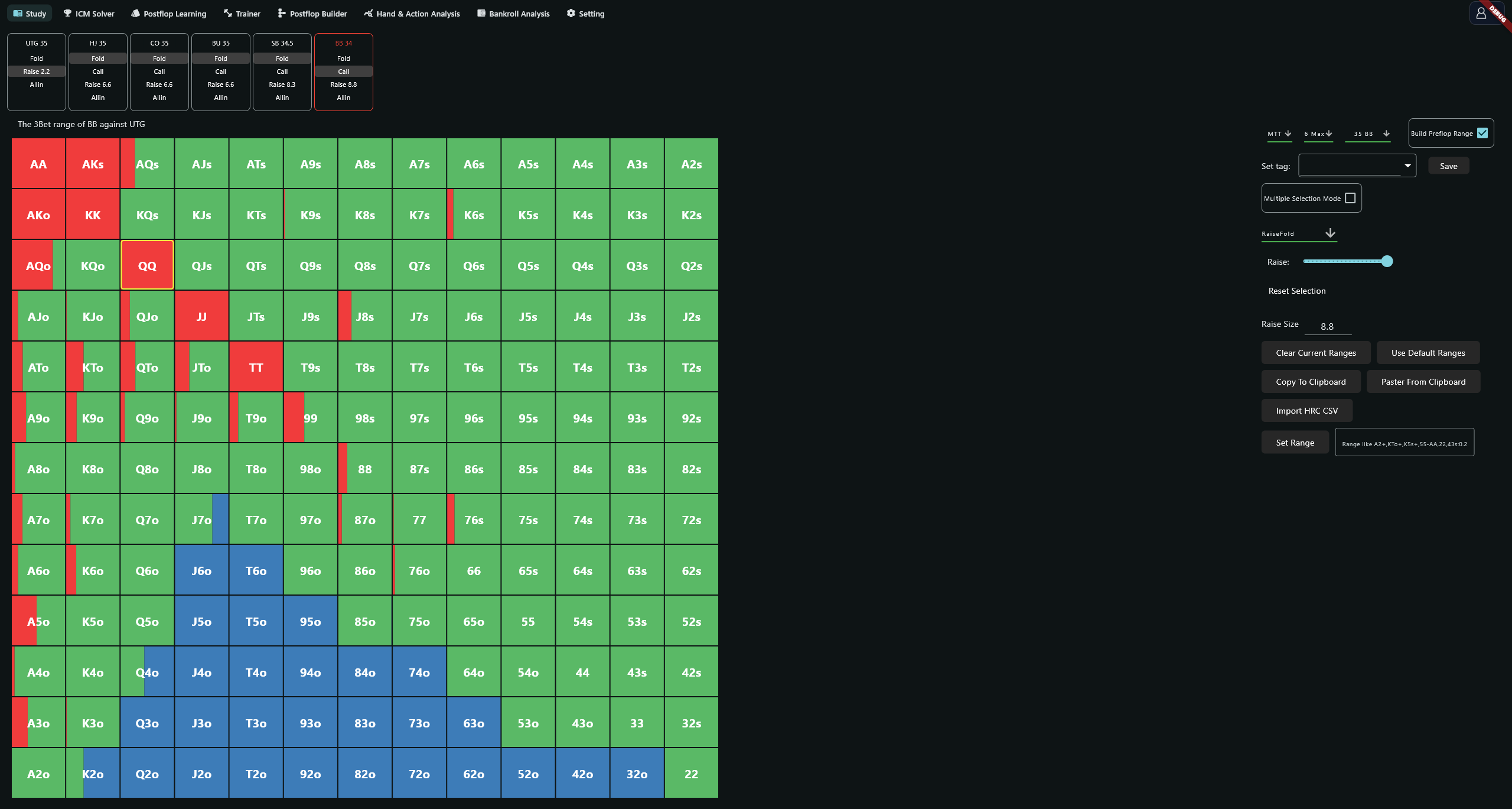
Enable Build Preflop Range, then click or drag across the matrix. Multiple Selection Mode lets you add to a selection. Choose the actions, set frequencies and enter Raise Size. Reset Selection clears frequencies for the selected cells.
The range tools can clear, restore, copy or paste a range. To enter one as text, use a string such as A2+,KTo+,K5s+,55-AA,22,43s:0.2 and click Set Range. Import HRC CSV reads the clipboard: copy CSV text with the header Hand,Played,EV before clicking it.
Enter a tag and click Save. Tags cannot contain underscores. Raise Size accepts up to two decimal places.
Lock a node
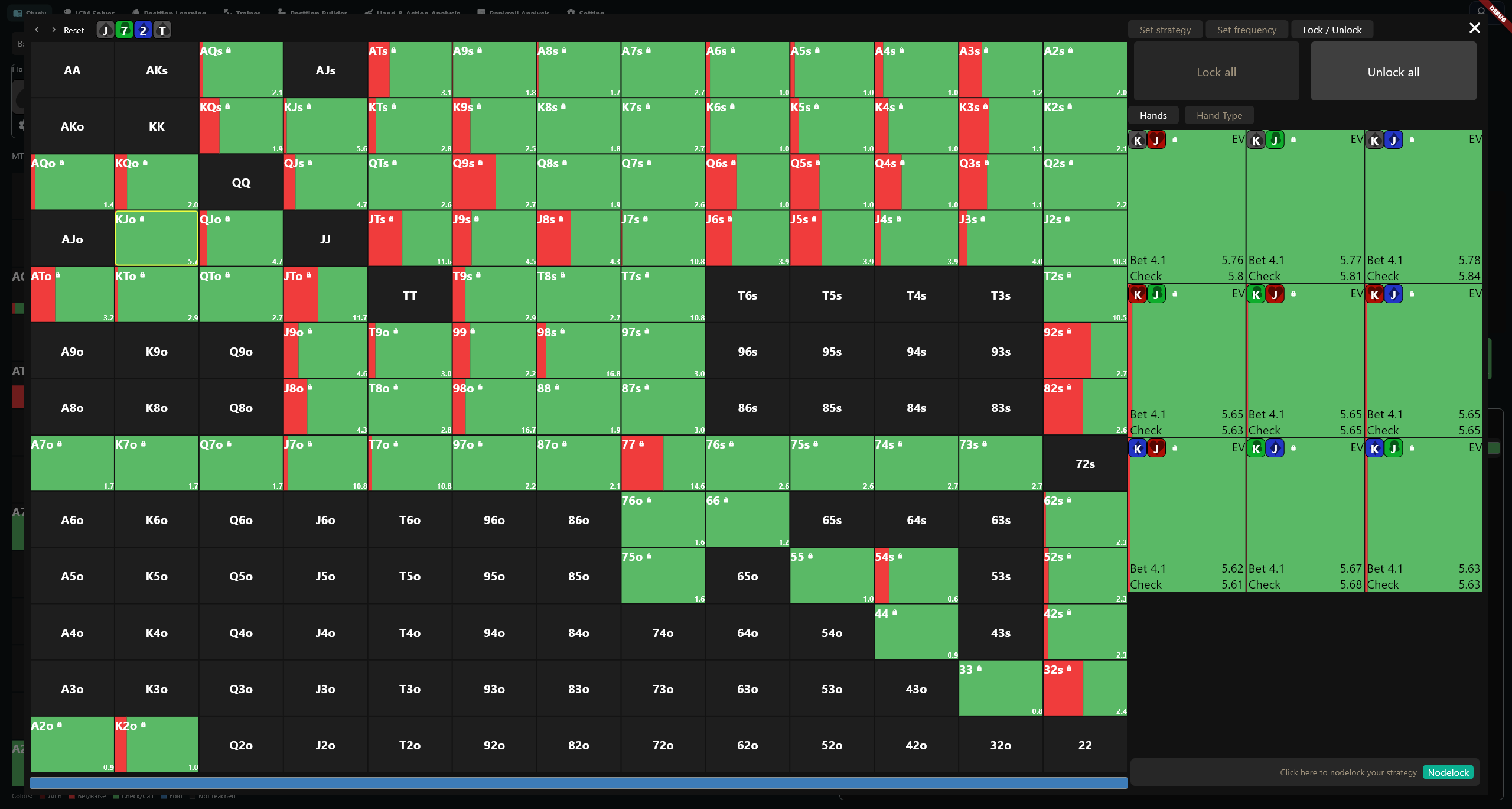
Click the lock beside an action node, select hands in the matrix and choose a mode:
| Mode | Controls |
|---|---|
| Set strategy | Enter frequencies from 0–100, or use the 0, 25, 50, 75 and 100 presets |
| Set frequency | Adjust sliders; overwrite unlocked cells or all cells, with individual action locks |
| Lock / Unlock | Lock or unlock every hand |
Reset, undo and redo help correct the selection. Click Nodelock to apply it.
Compare strategy changes
After a node has been modified, click Compare previous and current strategies. The panel lists action frequencies under Current and Previous, with hand, draw and blocker breakdowns.
Random-number display
The preflop random number starts at 50; subsequent rolls use 1–99. Show selected action based on random:{} displays the action chosen by that number. Clear the checkbox to see the full frequency distribution.
Download, solver and display problems
| Problem | What to check |
|---|---|
| Failed to download file | Check the connection and select the library again |
| Solver only support head-up match | Use a completed preflop line with two players remaining |
| Failed to get range | Reopen Solver Setup and check both ranges |
| invalid hrc csv | Check the clipboard text and Hand,Played,EV header |
| Failed to save | Check free space and write access to the destination |
| Detail panel is missing | Widen the app window |