
Study and compare postflop boards
Choose flop sets and matchups, compare action frequencies, and track your study progress.
On this page
Choose what to study
Open Postflop Learning. Choose the 85, 184 or 1755 flop set, then select MTT/Cash, table size and a stack of at least 40 BB. Select one or more matchups: UTG vs BB, BU vs BB, UTG vs BU or SB vs BB.
SRP and 3B are always available. 4B requires at least 80 BB; Lp is available only for SB vs BB. Use Solver Settings to review sizes before starting. Changing sizes means boards must be solved again with the new settings.
Find and open a board
Search matches cards: k4 finds flops containing both a king and a four; 44 finds flops with two fours. Click a column heading to sort, then click a board row to open it. If the list asks you to select a matchup, select at least one.
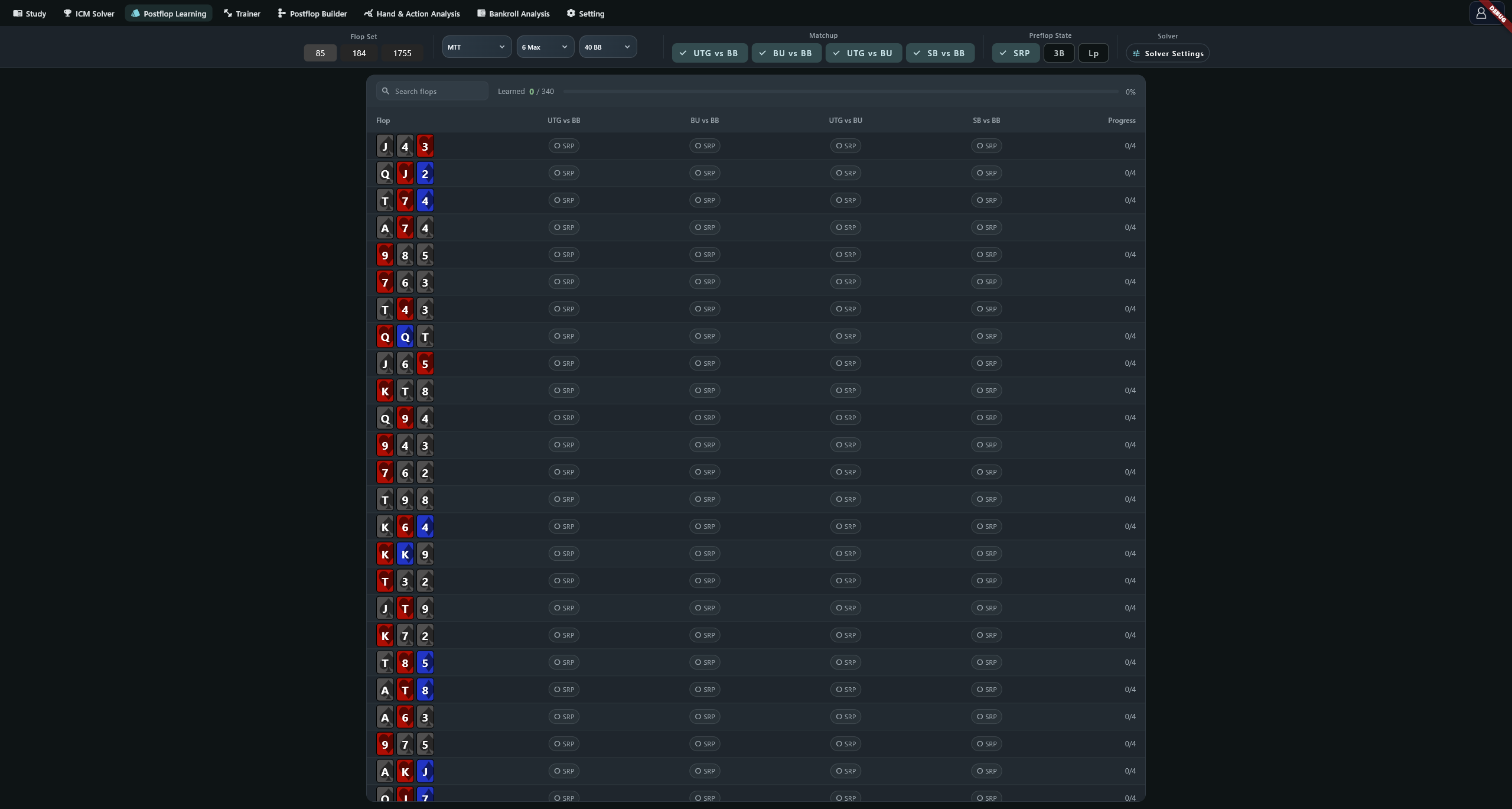
Click the SRP, 3B, 4B or Lp buttons in a cell to mark it learned. These are your study records, not a measure of proficiency. For the same strategy, a board shares its record across all three flop sets. A different strategy has separate progress.
Read and compare results
With one matchup selected, the detail uses the Study strategy view. With several selected, matchups are solved in sequence. A progress label of 2/4 means the second of four matchups is being solved; the comparison table appears when solving finishes.
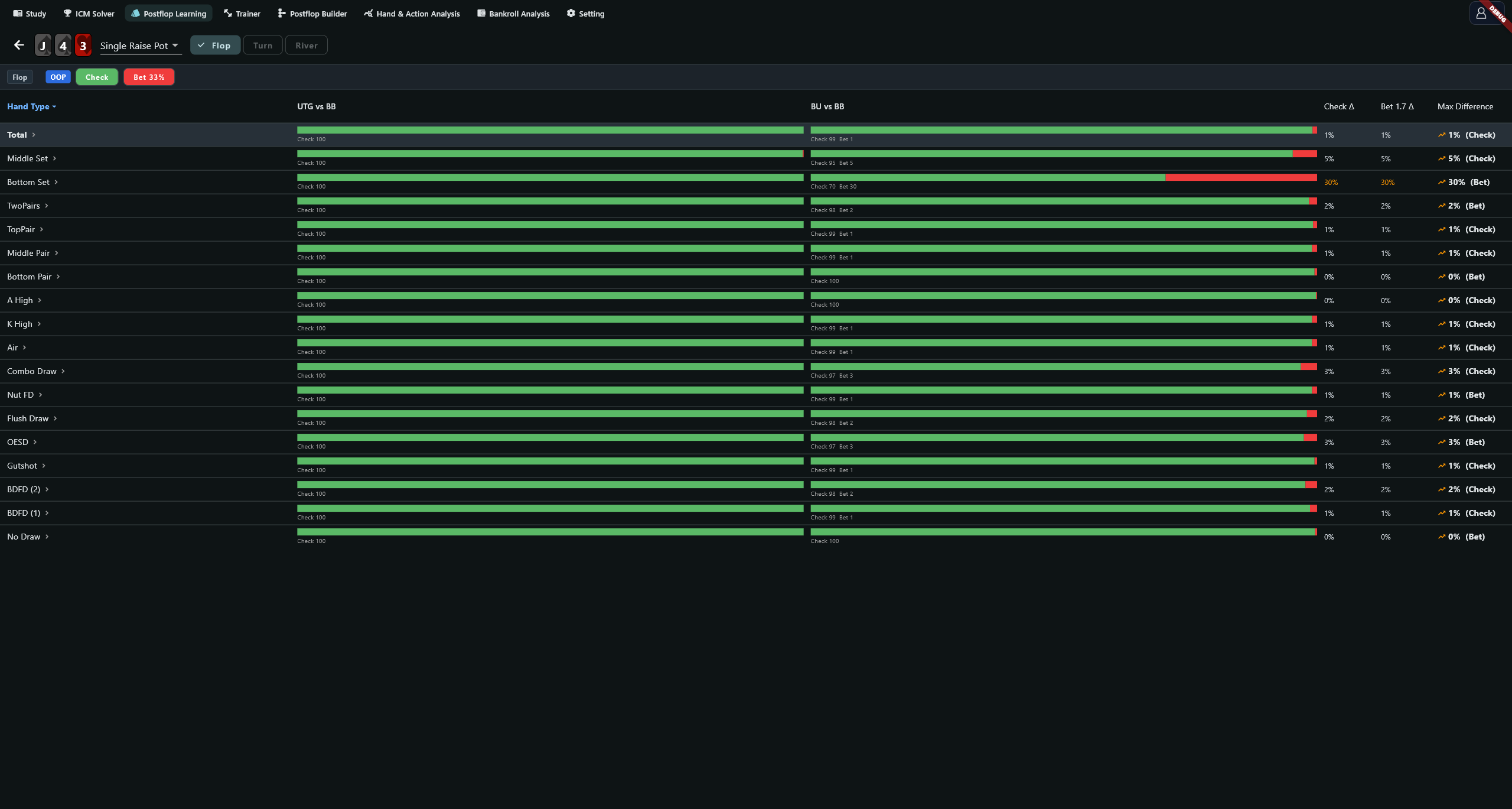
Each column represents a matchup. Read across a row to compare the same hand type. Max Difference is the largest action-frequency gap in that row; values above 0.10 are orange. Expand a hand type to inspect individual combinations. Multiple hand-type filters use their intersection.
The multi-matchup view advances from Flop to Turn to River, with a card picker where needed. To revisit an earlier street, return to the list and reopen the board. On the river, Complete Learning marks the selected matchups for the current preflop state and returns to the flop.
Compare action lines
Expand Line Comparison below a single-matchup result to run a separate comparison. Its Flop, Turn and River tabs can be revisited freely. Select an action line or card before reading turn and river results.
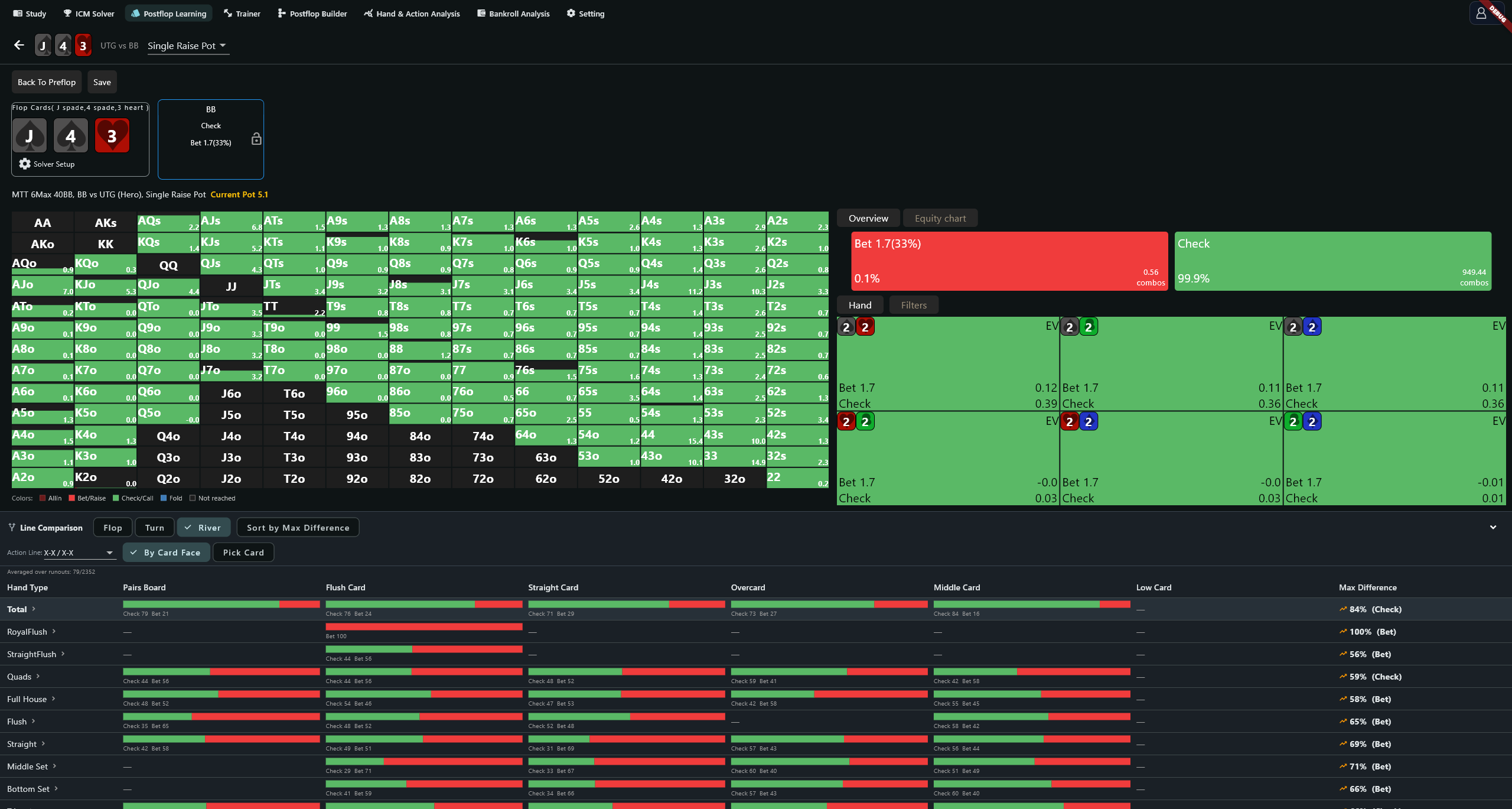
Averaged over runouts: 80/1081 means 80 of 1081 possible runouts contributed to the average. Treat this as a sampled estimate. The current caps are 80 runouts and 6, 4 and 8 action lines on the flop, turn and river respectively. Check the sample count when interpreting small differences.
Progress and solver settings
Progress equals marked cells divided by all available state cells for the selected matchups in the current flop set. A larger set or different matchup selection changes the denominator, so the percentage can fall.
Set 0–2 bet and raise sizes per street for OOP and IP, in pot percentages. Default bet sizes are 33 on the flop and 75 on both later streets; default raise sizes are 50, 100 and 200. Turn and river also have a Donk switch with a default size of 50. Review both sides before confirming.
Strategy selections are shared with the Postflop Builder, so check them after switching pages. Solved results use the solver cache managed in Setting.
Troubleshooting
For an empty list, check the matchup selection and search. If a range download or solve fails, record the strategy, board and error before retrying. When progress appears stationary, inspect the current matchup and solve status before submitting the same board again.