
Calculate and review Push Fold decisions
Configure stacks and payouts, inspect shove, call and fold ranges, and distinguish calculation from tournament review.
On this page
Choose a task
Open Push/Fold from the top navigation. This module studies shove, call and fold decisions. Use the preflop solver for a tree including normal opens, multiple raise sizes and limps.
Configure the calculator
Set 2–9 players, stacks before the hand, blinds and antes. Choose ChipEV, ICM and relevant bounty or FGS settings. Check the prize pool and payout ladder for ICM and bounty information for KO/PKO. A saved payout preset is not a saved calculation session.
Check units when switching between chips and BB. Starting stacks include the blinds and antes about to be paid. Resolve the displayed validation messages before calculating.
Read ranges and recalculate
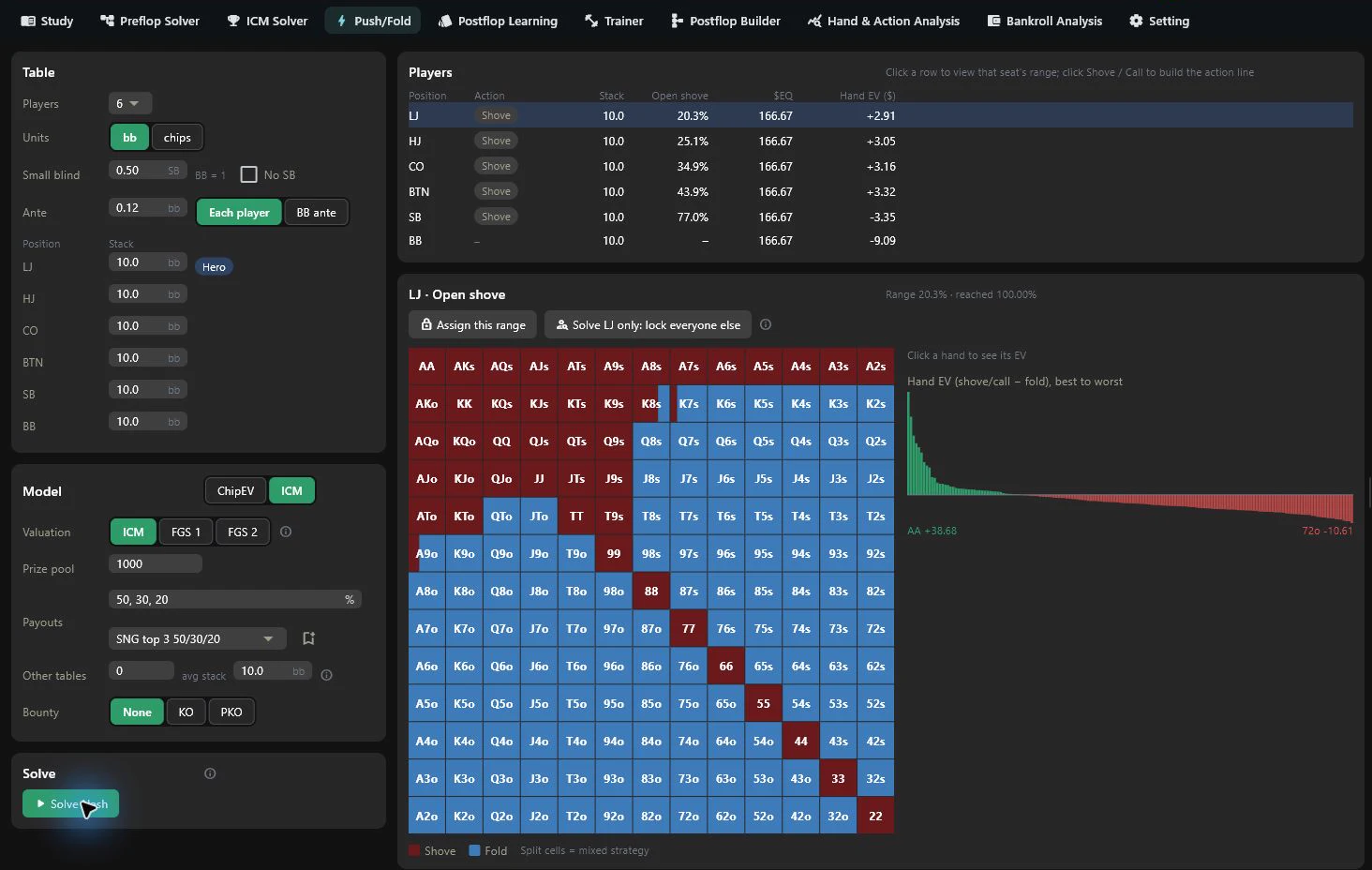
Choose a player, action path and hand to inspect shove, call and fold ranges and available EV. Recalculate after changing inputs or opponent ranges; an older result does not represent new parameters.
The model limits simultaneous participants: up to four on tables with six or fewer players, and up to three on seven-to-nine-player tables. Selecting a table size does not mean every multiway action combination is fully covered.
Import and review a tournament
Use From parsed tournaments to read tournaments in the active database, or Import files / Import folder for local histories. Inspect tournament groups and skipped hands; not every hand is an eligible push/fold spot.
Check detected stage, payouts, remaining field, off-table information and bounties. Confirm automatic suggestions and supply missing information. Group settings and ICM applied to selected hands have different scopes.
Click a hand to inspect it in the calculator. In a narrow window, use View in calculator after selecting; selection alone does not leave the list.
Select multiple hands with checkboxes and choose Analyze selected. Cancel batch stops the queue; check individual completion and failure states. Manual solving is unavailable during a batch.
Saved tournament settings, payout presets and the manual calculator serve different purposes. Parameter changes alter the research model without editing the original histories. Cross-check in hand replay.
Players beyond the simultaneous-entrant cap are shown as not solved; this does not establish a calculated 100% folding strategy. Under ICM, FGS can simulate 0–2 future hands and applicable bounties participate in the model. Recalculate after changes.