
Find, add and reconcile sessions
Search bankroll records, edit amounts and hands, and compare settlements with source evidence.
On this page
Filter and query
Open Bankroll Analysis → Session record. Choose CASH/MTT, stakes, game variant, dates and amount conditions, then run the query. Dates filter start times; the name text searches Location. Recheck conditions after switching format or resetting. Query again after editing.
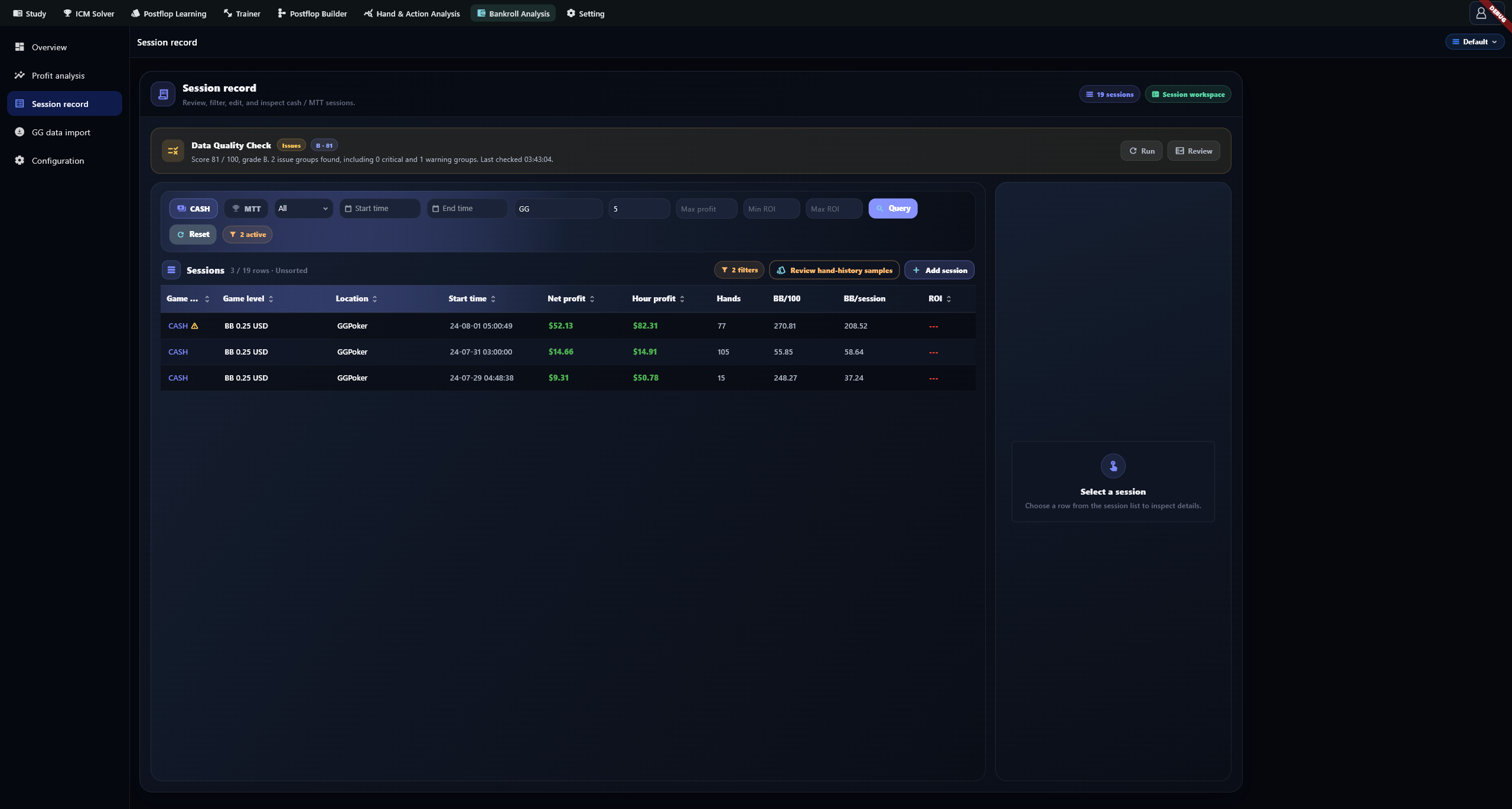
ROI filters use decimals: enter 0.5 for at least 50%, not 50. ROI cannot be calculated without a buy-in.
Find records
Use supported sortable fields to organize the list, then click a row for detail. Cash and MTT have different columns: Cash offers hands and BB metrics; MTT can show Luck Index and Cooler Index. The count describes the current query.
Add, edit or delete
Select Add and choose game type, stakes, location and play type. If no levels exist, create them in Configuration. Check start and end times; the new-record defaults are not your actual playing times.
Enter known rake, jackpot, tax, external expenses, buy-in, cash-out, gross profit and net profit, checking the USD units. For Cash, enter a positive integer in Hands. You do not need to repeat the count in notes. Check the Hands field when editing an older record that kept its count in notes.
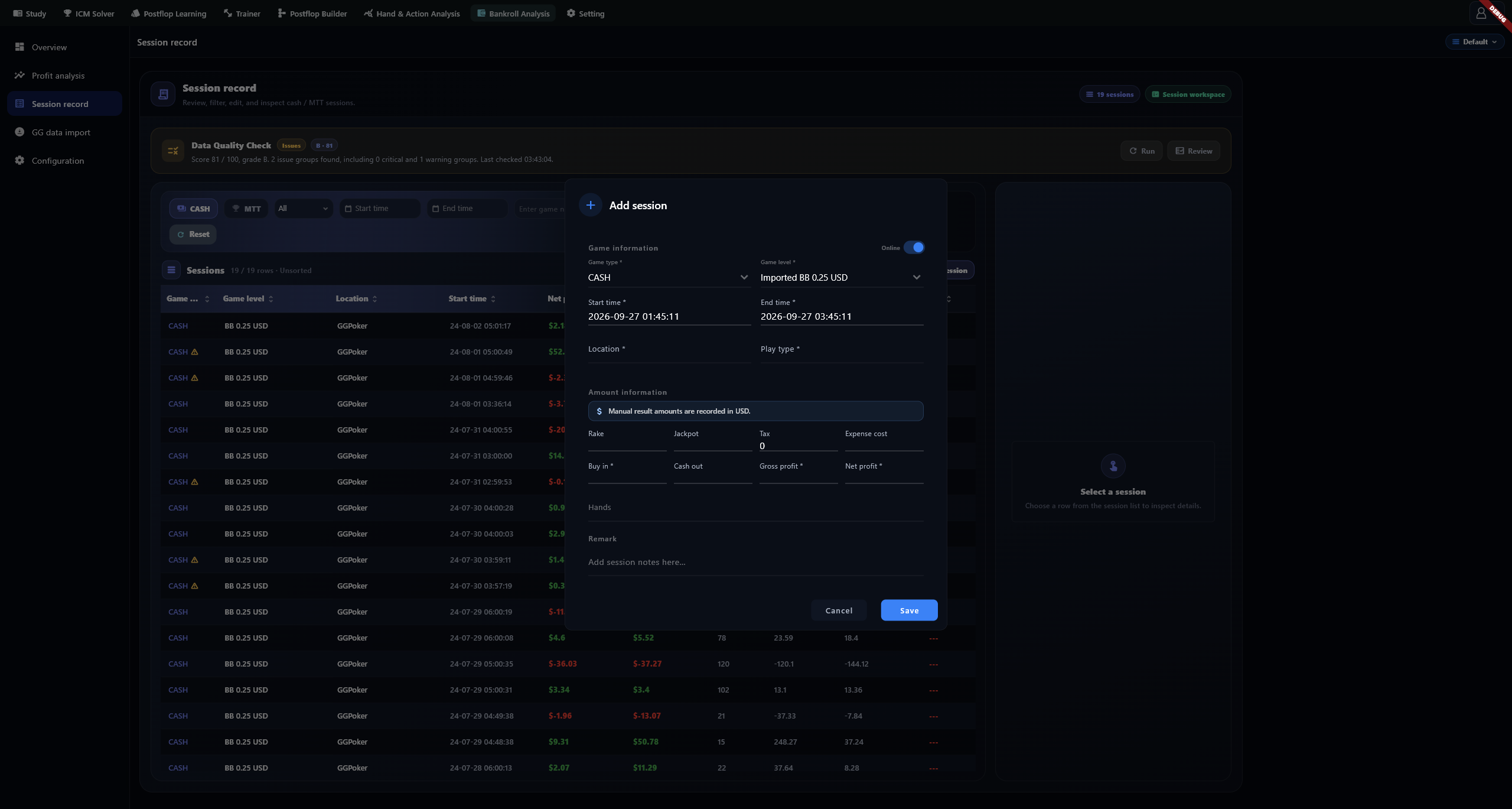
Use a row's menu to edit or delete a record. Confirmed deletion permanently removes that session; keep a backup first. Hand-derived Cash results cannot be deleted like ordinary manual records. Inspect their source rather than clearing an entire database to remove one result.
Read details
Click a row to open the right-hand detail panel. Check times, amounts, source and notes; use Copy for notes. Confirm missing fields and estimated durations against source records rather than treating them as zero or authoritative times.
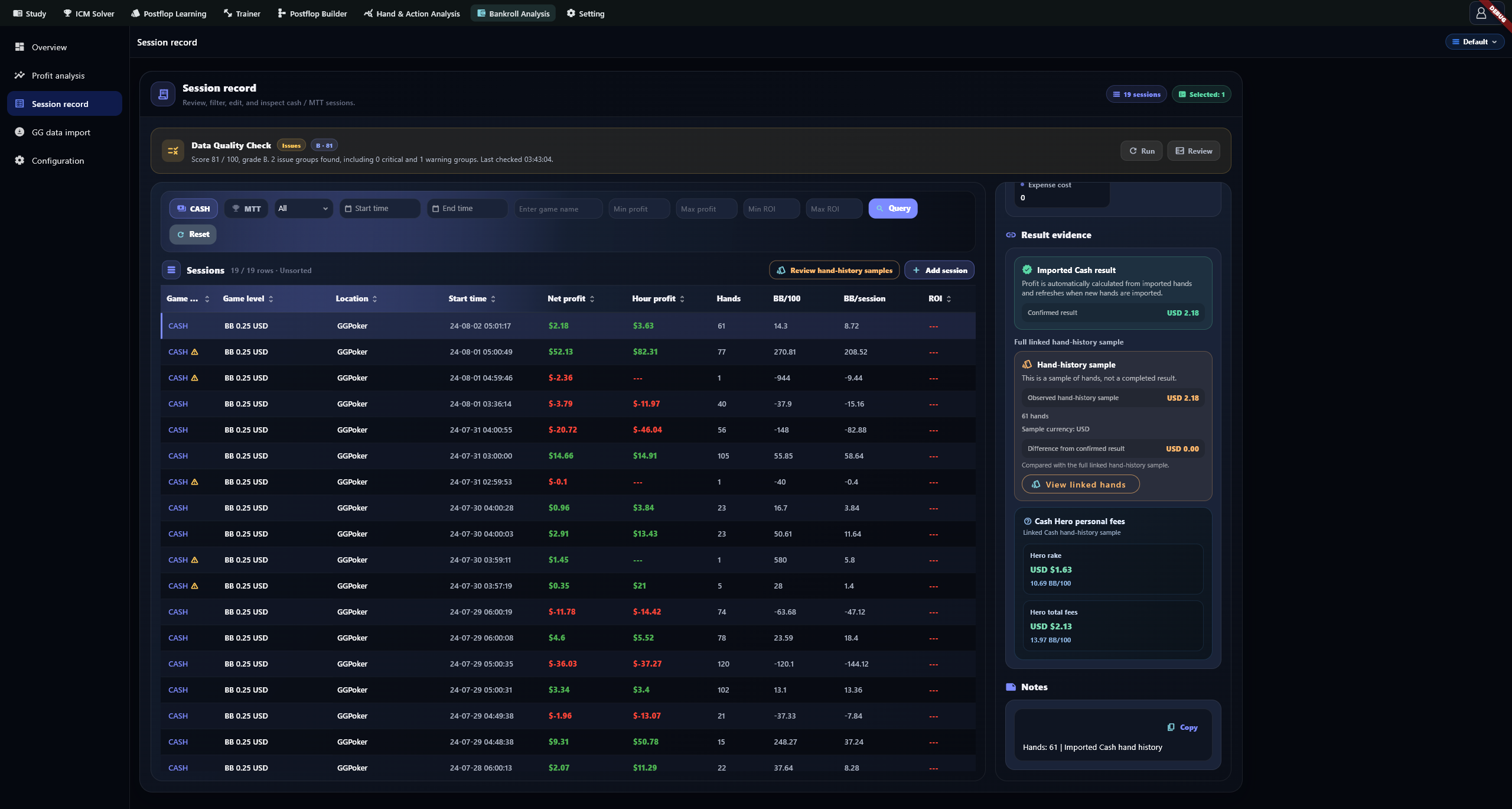
Reconcile settlement and hand evidence
Confirmed cash results and imported hand observations are compared, not added. A confirmed net result of 100 linked to observed results of 60 leaves a gap of 40. Manual confirmed USD Cash records can manage linked observations. Check dates, table names and scope to avoid linking duplicate or unrelated hands.
Calculations and data quality
| Field | Basis |
|---|---|
| Net profit | The record's net result |
| Hour profit | Net profit ÷ valid hours; end must be later than start |
| ROI | Net profit ÷ positive buy-in; 0.5 means 50%; zero or missing buy-in produces --- |
| BB/session | Net result ÷ valid blind |
| BB/100 | BB result ÷ positive hands × 100 |
| Luck / Cooler | Summary's luck and classification metrics; unavailable without sufficient data |
Run Data quality review and address Critical items before Warning and Info. The score flags record issues; it does not prove the amounts are correct. After corrections, query again and check source evidence.
Troubleshooting
Check the database and query for missing records. For missing hourly results, inspect times; for BB metrics, stakes and hands; for ROI, buy-in. Preserve Unavailable fees as unknown instead of entering zero simply to obtain a figure.