
Read bankroll Overview
Review confirmed results, cumulative curves and Cash/MTT metrics with their coverage.
On this page
Set scope and currency
Open Bankroll Analysis → Overview. Choose All/Cash/MTT, dates and platform, then a display currency: USD, CNY, EUR, GBP, JPY or HKD. Currency is remembered; other filters can reset after leaving. Display conversion does not change original amounts.
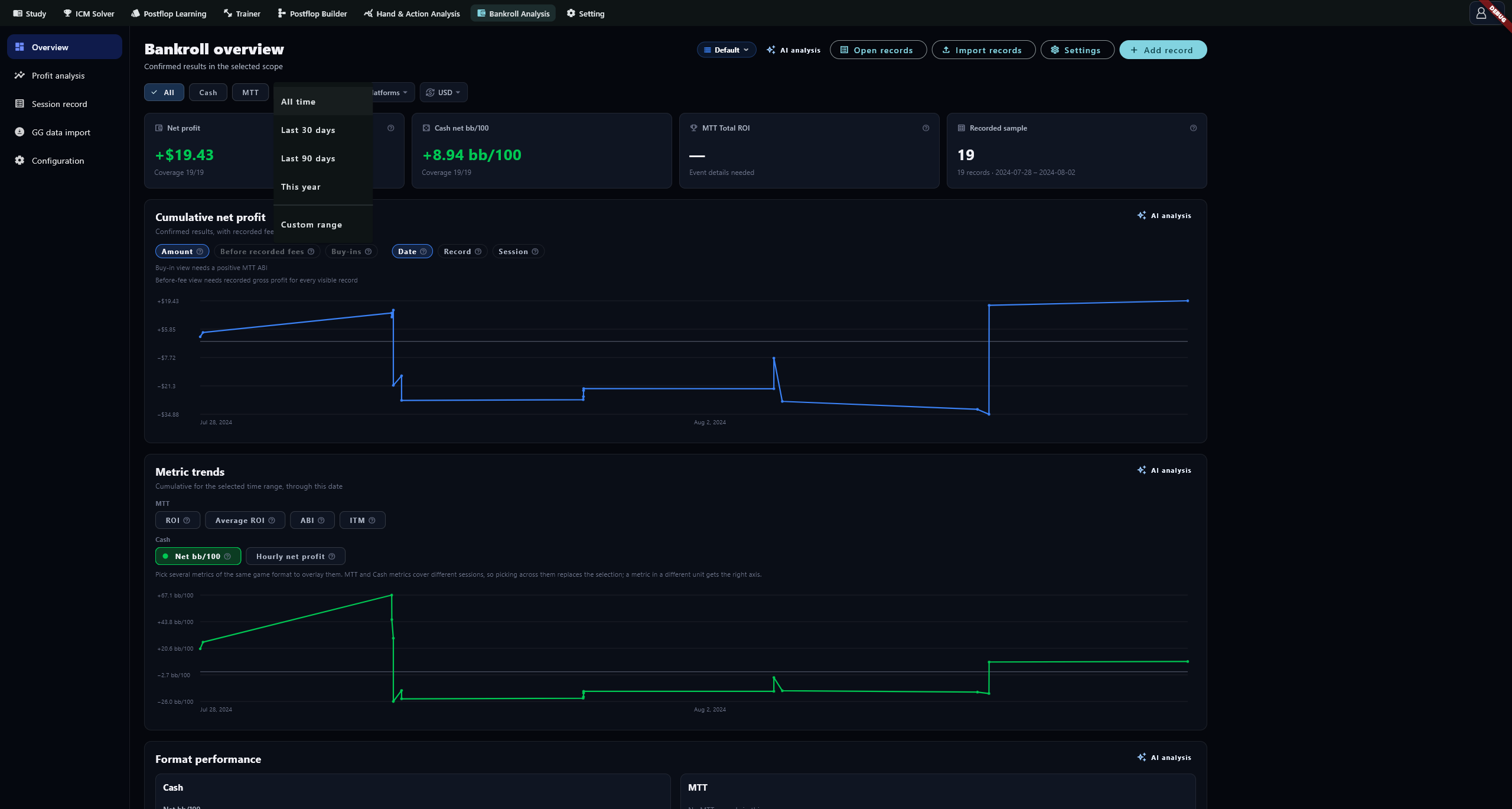
Read totals
Read net profit, record counts and their scope before expanding Advanced for composition. Totals use confirmed records and require the necessary exchange-rate data. Hand-derived observations remain separate reconciliation evidence.
Net profit = gross profit − recorded fees − external expenses. Fees include known rake, tax and jackpot charges. Missing fee information appears as Unavailable, not zero. Different metrics can cover different record subsets.
Check coverage first
Coverage 3/12 means only 3 of the 12 scoped records meet that metric's requirements. Hourly metrics need valid start/end times; BB metrics need valid blinds; bb/100 also needs positive hand counts. Overview excludes estimated durations from its time metrics. Missing inputs produce —.
Cumulative profit and the x-axis
Use date, record or Session on the x-axis. Session groups continuous or overlapping activity; a gap longer than an hour starts a new group. Changing the axis regroups the display without changing records.
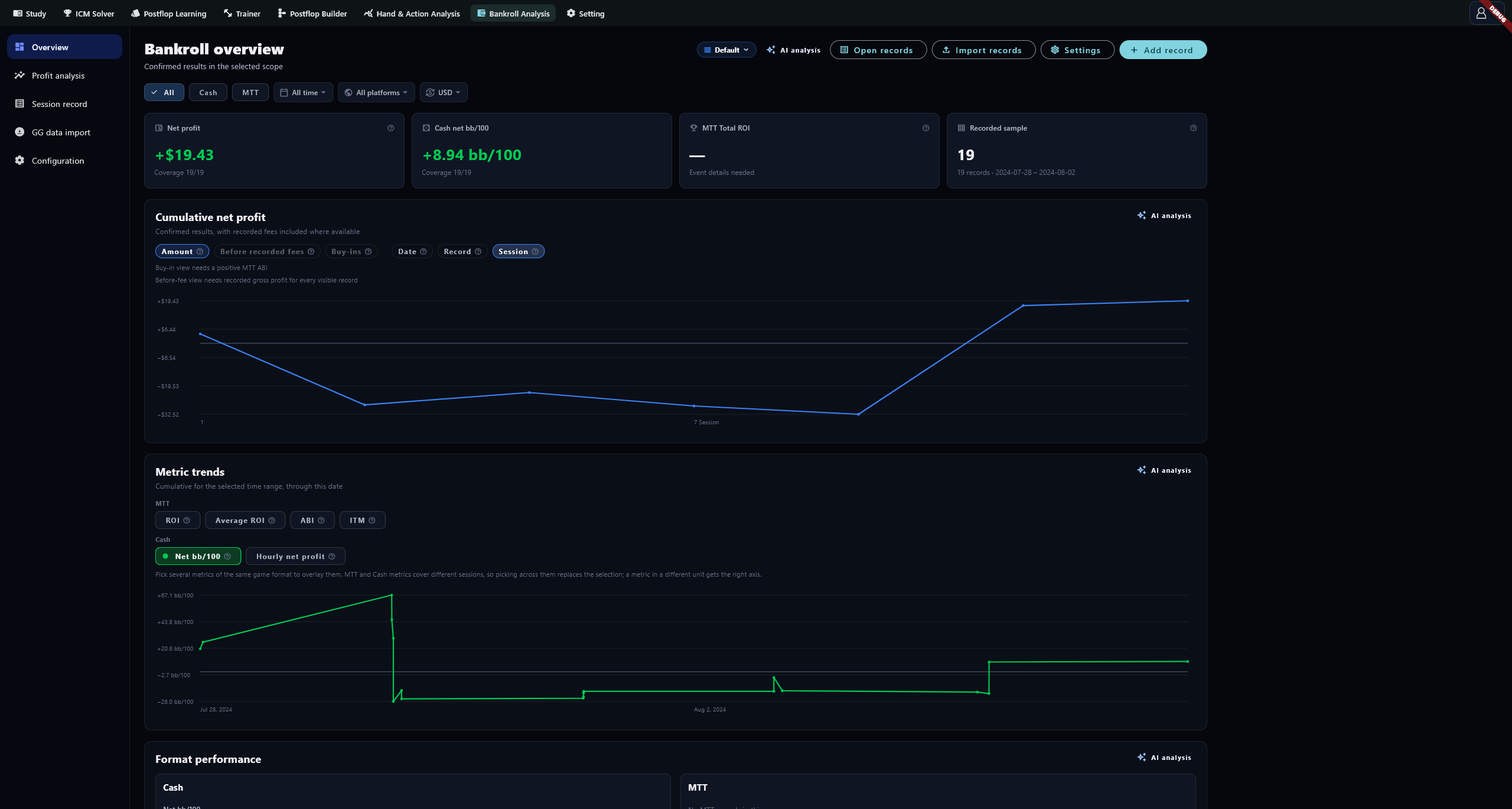
Net profit uses confirmed net results. Gross-profit curves require corresponding cost information; MTT BI curves require a valid positive ABI. Check calculable coverage before comparing curves.
Metric trends and units
Compare metrics for the same game format and read their legend units and axes. Several metrics can share a unit axis, with at most two unit types. If bb/100 and hourly results have different signs, first compare covered records and the profit basis.
Groups and record actions
Group Cash by stakes, table size, location or platform; group MTT by tournament type, buy-in tier, speed, location or platform. Open recent records to reconcile them. Open records opens Session record; Import records opens file upload; Add record opens manual entry. Set buy-in tiers in Configuration.
Metric calculations
Cash
| Metric | Calculation and coverage |
|---|---|
| Net bb/100 | Eligible net BB results ÷ corresponding known hands × 100; exclude records missing blinds or hands from both sides |
| Net hourly | Net result of records with valid authoritative duration ÷ their hours |
| Net bb/hour | BB result of records with valid profit, positive blinds, positive hands and authoritative duration ÷ their hours |
| Hands/hour | Hands from records with both hands and valid duration ÷ their hours |
| Qualified hands | Hands with comparable blinds supporting bb/100 |
MTT
| Metric | Calculation and denominator |
|---|---|
| Total ROI | Eligible tournament profit ÷ total buy-in × 100; weighted by money |
| Average ROI | Arithmetic mean of eligible paid tournament ROIs; equal weight per record |
| ABI | Sum of eligible events' single-entry stakes ÷ paid events; single-entry stake = total buy-in ÷ entries |
| Invested buy-ins | Total buy-in including re-entries ÷ ABI |
| Net profit in buy-ins | Eligible paid records' net profit ÷ ABI; net and tournament profit use different cost bases |
| ITM | Events returning more than zero ÷ events with known returns; bounties count |
| Final table rate | Finishes of 9th or better ÷ events with a recorded finish |
| Entries | Sum of 1 + re-entries for each event |
| Average tournament profit | Eligible tournament profit ÷ paid events |
| Tournament return in buy-ins | Recorded returns ÷ ABI |
| Return / investment | Total return ÷ total buy-in for the same covered events |
For buy-ins of 10 and 100 with tournament profits of +10 and −20, Total ROI is −10 ÷ 110 ≈ −9.1%; Average ROI is (100% − 20%) ÷ 2 = 40%. Different weighting explains the gap; it does not establish its underlying cause.
Missing values or mismatched totals
Check confirmation, exchange rates and the fields required by each metric. Missing finish or payout information reduces the corresponding denominator. Do not replace missing fees with zero. Correct records in Session record or add source files through GG import.