
Configure stakes, buy-in tiers and scoring
Manage stakes and grouping for the active database and understand reset and clearing actions.
On this page
Check database and status
Open Bankroll Analysis → Configuration and check Active database. A new database does not copy the old one's contents. Select Use to switch both bankroll and hand analysis. See database management for renaming and deletion.
Status cards show session count, imported-session count and configured stakes. Last upload is the newest imported session's start time, not the time you last uploaded a file.
Configure Cash and MTT stakes
Open Setting level and choose CASH or MTT. Add level creates a row; Easy create uses a preset list. Enter a unique Level No., name and either Cash BB value or MTT Single buy in, then confirm.
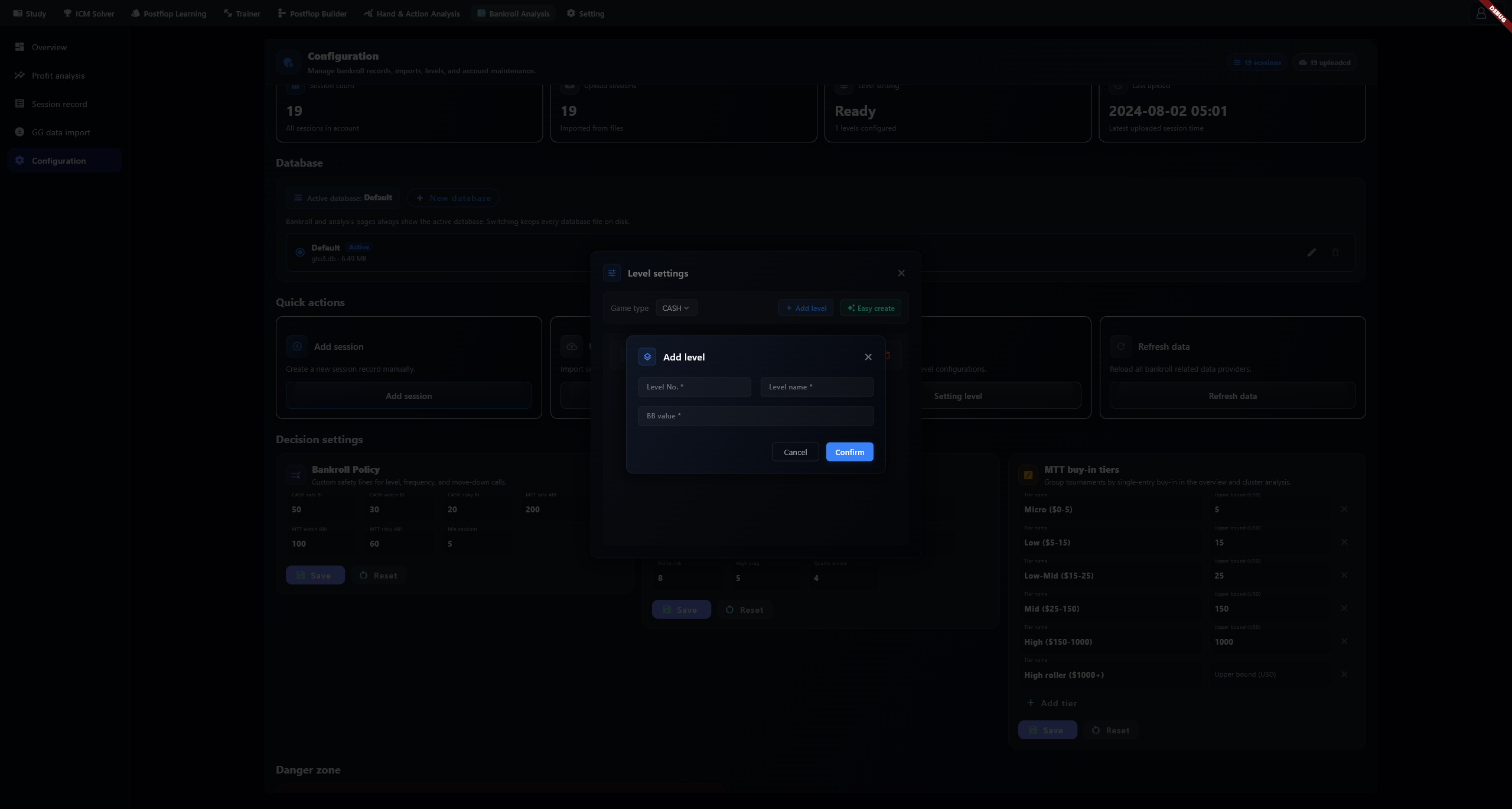
Session entry uses these levels. BB metrics require a valid positive blind. Check related records before deleting a level still in use.
Set MTT buy-in tiers
Tiers group by single-entry stake: total buy-in ÷ entries. Default upper bounds are 5, 15, 25, 150 and 1000 USD, plus an open-ended tier. Records match the tier-bound rules. Custom names do not translate when the interface language changes.
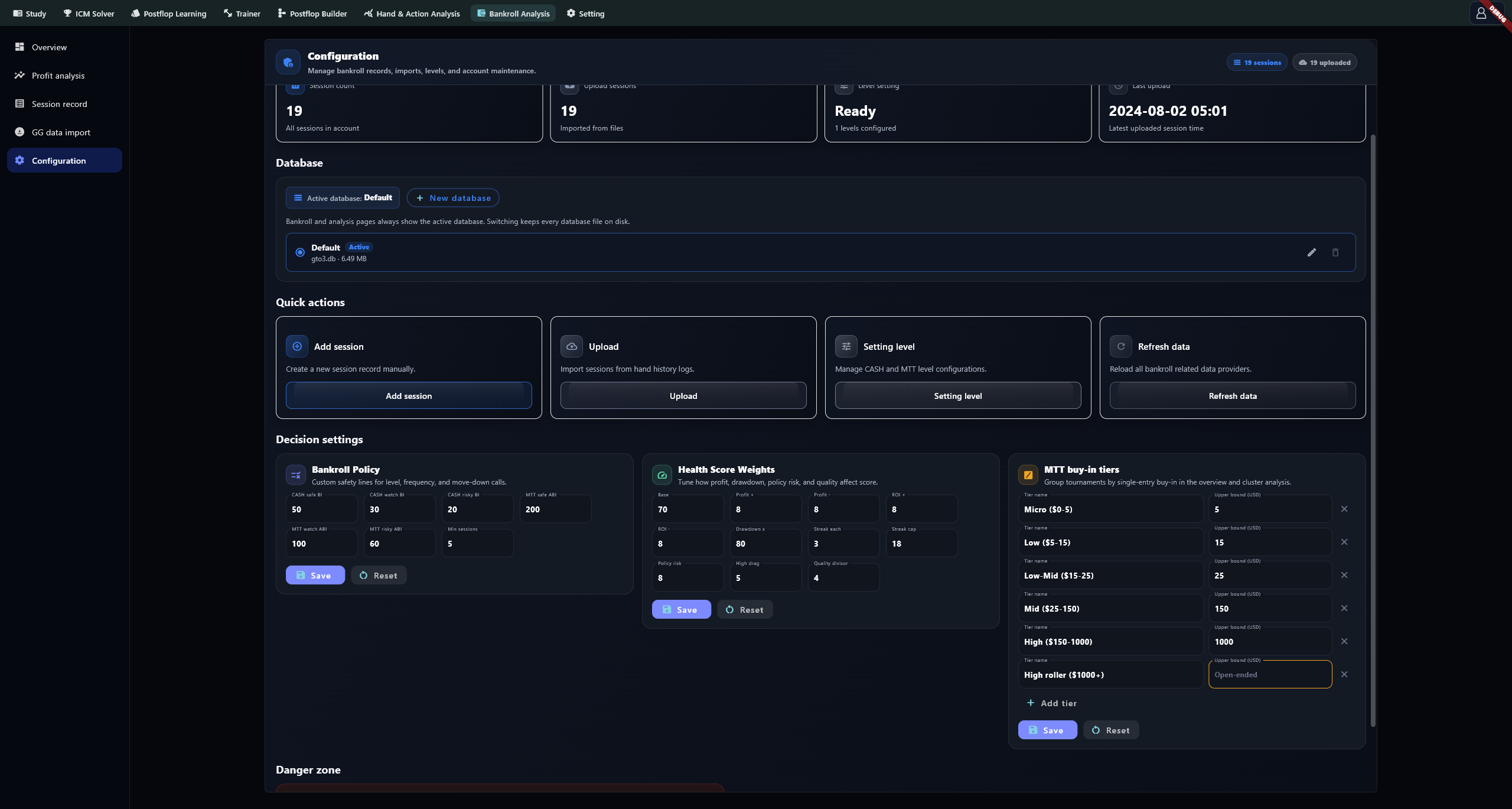
Use positive upper bounds for finite tiers. Blank, zero or negative bounds mean open-ended; keep one open-ended tier. Select Save to use the new grouping on other pages.
Common actions
Add session opens manual entry; Upload opens local file/folder import; Setting level manages stakes; Refresh data reloads bankroll data. Use the sidebar's GG data import for extension sync.
Adjust classification and scoring
Bankroll Policy sets the app's classification thresholds. Health Score Weights sets score adjustments. These are configurable product rules, and their labels change with your settings.
Bankroll Policy defaults
| Field | Default |
|---|---|
| CASH safe / watch / risky BI | 50 / 30 / 20 |
| MTT safe / watch / risky ABI | 200 / 100 / 60 |
| Min sessions | 5 |
Health Score Weights
| Field | Default | What it does |
|---|---|---|
| Base | 70 | the score every account starts from before any adjustment |
| Profit + | 8 | added when net profit is positive |
| Profit - | 8 | subtracted when net profit is negative |
| ROI + | 8 | added when ROI is above +15% , not merely positive |
| ROI - | 8 | subtracted when ROI is below −10% , not merely negative |
| Drawdown x | 80 | multiplied by the current drawdown rate, then subtracted |
| Streak each | 3 | subtracted per consecutive loss |
| Streak cap | 18 | the ceiling on the total losing-streak subtraction |
| Policy risk | 8 | subtracted once per policy-risk event — the count is the multiplier |
| High drag | 5 | subtracted once per high-drag event — the count is the multiplier |
| Quality divisor | 4 | divides the distance between the data-quality score and 80; the result is added, so this term can raise or lower the score |
Select Save on each card. Policy and weight values are limited to 1–9999; check the final value after editing. Empty or invalid values may fall back to defaults. Min sessions controls classification eligibility, not statistical confidence.
Reset settings or clear records
Each card's Reset immediately restores its defaults. Note custom values first. Resetting settings and deleting records are separate actions.
Clear account data permanently clears bankroll session records in the active database. If imported hands remain, Cash observations are generated from them again. Selecting Also delete imported hand histories also clears hand-analysis data. Back up, check the database and checkbox, then confirm.
Troubleshooting
For an empty view after switching, check Active database. For missing classifications, check record count against Min sessions. For unavailable BB metrics, inspect stake values. Use Refresh data to reload, and retain any failure message for troubleshooting.